To make a product today with the mobile app features that customers demand, you’ll need to include fast performance, an easy-to-use intuitive interface, frictionless onboarding, useful personalization, and consistent functionality with decent security across any device used.
About 25% of users will abandon a new app after opening it only once because the product lacks these features. Using a platform like LastApp.ai ensures you start with an app features framework from the first prompt. Otherwise, you risk a primary issue where marketing isn’t the problem in acquisition. It's with the app features.
Key Insights
- The average smartphone owner has about 80 apps installed but uses only about 9 per day. Those are the ones using similar app functionality and features.
- Apps leveraging AI personalization experience 40% higher session lengths due to stronger engagement and performance.
- Speed is also a factor, with 53% of mobile users abandoning an app that takes more than 3 seconds to load.
- Even more users are worried about privacy, with 79% reporting concerns about personal data use, making security a core feature rather than just a policy.
- Using a no-code platform like LastApp.ai ensures all 12 essential mobile app features are integrated from the beginning, collapsing what used to take 6 months into mere days.
- Keeping an app “fresh” with regular updates every 2 to 4 weeks helps you score 0.8 points higher on app store ratings.
What Features and Tactics Churn Out a Great Mobile App
You might think having a high number of specialty in-app tools or crazy-good settings will make your app stand out. The reality is that most apps succeed because of how easy they are for the average user to understand. People want immediate gratification from downloading and opening an app to solve a problem, provide a service, or entertain. What they don’t want is complex instructions.
When you’re designing an app targeting specific niche markets, you want to ensure the app has some core features. This quick list provides a strong starting point for the features common to mobile apps that will get your foot in the engagement door. Then you can build upon that foundation with branded offerings designed to maintain that attention.
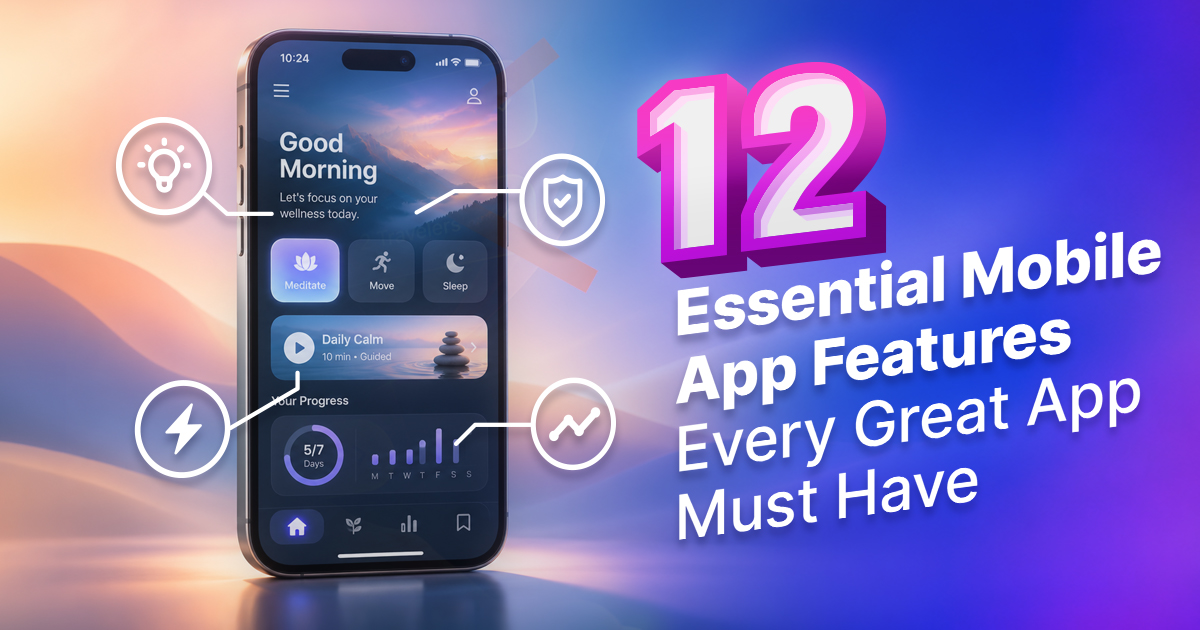
12 Essential Mobile App Features: The Foundation of a Great Mobile Application
- Design for an intuitive user interface
- Make sure your app has a fast loading speed
- It should be frictionless for user onboarding
- Balance push notifications and in-app messaging
- AI-powered personalization is a must-have
- Test before launch for cross-platform consistency
- Allow essential and related third-party integrations
- Consider how much offline functionality your audience needs
- Provide plenty of in-app support and/or AI chatbots
- Advanced app security and an environment around data privacy
- Put in-app analytics and user behavior tracking in from the beginning
- Have a regular update schedule and performance routine maintenance
Here is what each of these application features means and why they matter to your target audience.
1. Intuitive User Interface
Your mobile app UI shouldn’t require a ton of explanation. Users don’t need a tutorial to figure out the menu. Clean navigation, responsive layouts, and a design appropriate to your app’s audience are crucial.
Even the color and typography inside the user-facing parts of your app make a big difference. It’s the chance to show off your brand design footprint. For example, a fintech app offering easy real estate investing may stick to a trust-focused palette. Or you might design a kid focused app around learning the essential prime colors and ABCs with brighter pastel colors for playful visual cues.
Every user-centered design should be optimized to help naturally guide your audience where they want to go next. It should feel like a welcome environment where app features make logical sense over current design trends.
2. Fast Loading Speed
Speed is crucial with a mobile application. Users want to find the information they need or make a purchase quickly without having to sit down and focus hard on navigating your app’s environment. When your app loads fast, it leads to more retention.
Around 53% of mobile site visits end when a page or app takes longer than 3 seconds to load. People don’t have the patience to wait for your app. Immediate feedback after every tap is essential, so be sure you’re compressing images, reducing unnecessary startup processes, caching frequently, and avoiding “lazy loading.”
3. Frictionless User Onboarding
Apps and features all need onboarding. This is your “first impression.” Users don’t want the extended product tour or overly complex profile form. They want progressive disclosure, where you explain features only when the user reaches those stages.
If possible, keep your onboarding process in the app to three or less screens. Any extra step in this process adds friction, increasing the drop-off points in the path to full engagement. The app development process is better when you integrate sign-ins via Apple, Google, or passwordless authentication.
4. Push Notifications and In-App Messaging
Push notifications are essential. An alarm clock needs to notify the user as much as something based on tracking a child’s nap cycles. They bring users back to engage with the product while in-app messages help them complete actions. It’s an appointment reminder to pick up dry cleaning compared to feature announcements or confirmation.
However, over-notification can erode user trust. If you overwhelm your target audience with generic reminders that light up their screen all the time and make a lot of noise when they should be in meetings, class, or a movie, it could train them to silence your notifications. Balance notification settings so they feel natural, comfortable, and demonstrate trust with your audience.
5. AI-Powered Personalization
Still on the fence for what makes a good mobile application? Have you considered the power of AI personalization?
Basic personalization isn’t anything new to development circles. It might adjust the content based on stored preferences or previous engagement. More advanced AI personalization predicts what a user wants to do next by reordering the navigation, recommending relevant products, and generating summaries.
You need to go deeper than your competitors to stand out. Using a platform like LastApp.ai helps, as it has AI personalization built into development. About 40% of apps see longer session lengths with AI personalization, making it a feature you cannot miss. When app functionality is designed for specific users, it makes it easier and more rewarding to use.
6. Cross-Platform Consistency
Users change devices regularly. It's common to shop with a retailer on an iOS tablet, an Android smartphone, and on a website. Users want their same account information and core workflows to be the same on each device.
Consistency is crucial, but it must be adapted to the device or ecosystem. Apple and Google stores have unique patterns for app navigation or what you might expect in the design and flow. The goal is to preserve app logic but aligned with whatever platform ecosystem you’re designing within. Someone wanting to view their subscription status or save an item on Android should feel confident they can jump to an Apple product and still see the same information.
Features common to mobile apps include consistent branding, shared account data, and familiar actions. When you’re comparing development platforms, you need to understand if there will be cross-platform consistency.
7. Third-Party Integrations
When you’re building in mobile app features, ensure you have third-party integrations that naturally fit your product from day one. There are so many services and other apps users depend on that you can leverage to build trust and functionality, including:
- Stripe or PayPal for payment processing
- Firebase for authentication and backend services
- Twilio for sending messages to family or hybrid/remote team communication
- Zapier for workflow automation in ecommerce startups
Even having a way to post an image made in your app to Facebook with an easy-to-follow link leads to smoother user engagement. Providing this mobile app feature from the beginning is financially wise, rather than retrofitting it later at 3 times the initial cost or development time.
8. Offline Functionality
Not all types of mobile apps offer offline access. The problem is that some of them are nearly useless without it.
Travelers want navigation, even when they lose service. Delivery drivers push updates, even in low-coverage areas. Fitness users want the freedom to run in remote areas with unreliable Wi-Fi.
When the core user action your app requires also needs connectivity, you need an “offline mode.” A good trick is to design with a “cache for content” in mind that locally stores much of the app actions on the framework and device. Whenever the user is back in range of network access, the app can refresh or sync in the background. Just make sure to test for any privacy concerns, data storage limits, or loopholes in those offline capabilities.
9. In-App Support and AI Chatbots
Users should never have to leave your app to understand it. AI chatbots are now common, not a premium of advanced apps and features. Your product should include in-app customer support, live chat, searchable docs, and AI support bots.
Offering “live support” using chatbots resolves 70% of queries faster, reducing churn. They are standard mobile app features, but accuracy matters, so be sure to have clear escalation rules, connect to up-to-date information, and make human responses easy to reach when automation fails.
10. App Security and Data Privacy
Roughly 79% of app users are concerned about how such apps use their private data. They might not read every detail in your privacy policy, but will pay attention if you’ve had major breaches in the past. In addition, modern mobile app features need to comply with regulations such as GDPR, CCPA, COPPA, HIPAA, and other industry-specific standards.
Display your data practices clearly and in plain English. That will help build user trust and convert anyone skeptical of your product.
11. In-App Analytics and User Behavior Tracking
It is a harsh reality that founders cannot improve what they do not measure. You cannot judge app monetization without knowing how your users engage with your app. Measuring everything from session recordings to funnel analysis, retention rates, feature adoption, and crash reports helps identify gaps that lead to user app abandonment.
Set up your analytics from Day One. Even when you’re iterating the framing, think about how you’ll collect core data points for feedback and improvement. You need to know what helps users convert, how they use your app, and what will improve revenue over time.
12. Regular Updates and Performance Maintenance
Another hard truth is that apps and features are never truly finished. Your update cadence needs to match when operating systems change, devices evolve, or problems are uncovered. Apps rank higher and have better average reviews when they are updated every 2-4 weeks, compared to those updated monthly.
Set yourself up for a practical maintenance cycle in which smaller releases improve the app by addressing security issues and critical bugs. You don’t want a user to interpret the silence around updates at any stage of development as brand abandonment.
Why Feature Decisions at Build Time Determine Revenue Later
Your app’s monetization strategy should be built into the product on day one. Freemium apps need clear divisions between what the user gets and what they’ll eventually pay for. Subscription apps need account entitlements, renewal management, and paywall logic. Even a one-time purchase app needs transaction handling.
When you add such systems after you launch, you increase development costs. The team may need to go back later to restructure the database, permissions, and user accounts, which could increase your expenses.
Retention loops are another must-have app feature from the beginning. What are your referral mechanics, streaks, loyalty rewards, and social sharing? How do they function with the current app’s UX? You want these features to be useful enough that they are repeated.
Try not to forget what makes a good mobile application when it comes to app store optimization after you go live.
- Ask users for ratings after they complete a positive action, not right after installation.
- When you update, make the notes keyword-relevant and clear.
- Respond professionally to any reviews.
- Use repeated complaints to trigger and prioritize fixes.
- Create regular maintenance support to build user confidence.
At every stage, be sure to protect your idea. The apps and features you develop are valuable. You never know when the next Netflix, Flappy Bird, or Spotify is just around the corner. Sensible contracts and IP planning are crucial, even with trusted relationships.
How to Build an App with All These Features Without Writing Code
Hiring a crack development team to carefully plan, design, build, test, and maintain all 12 mobile app features can easily cost you $30,000 to $150,000. You’ll take 6 to 12 months to get every feature you want.
A much better idea is to avoid traditional programming frameworks and try no-code app development that integrates with the native iOS and Android ecosystems. LastApp.ai helps with this process. A founder can specify the app description, its users, and required workflows, and the platform then generates native Swift, Kotlin, and web-friendly versions, all supported by managed infrastructure.
What changes with LastApp.ai is the volume of custom coding required to move from a new idea to an MVP. Start building for free at LastApp.ai today.
Conclusion
The best mobile app features to keep users engaged. They are the ones that feel necessary, reducing friction and improving value. Working with a US-based, no-code app builder designed around these principles ensures you get the right features your target audience wants.